Tuesday, February 19, 2013

Smarter, safer, self-driving: 4 (almost) autonomous cars you can own today


Smarter, safer, self-driving: 4 (almost) autonomous cars you can own today


We’ve been reporting on a lot of up-and-coming autonomous vehicle technologies as of late and these stories got us to thinking: “How many vehicles on sale right now already feature some autonomous safety features and technologies?” The deeper we dug, the more tech we found.
We whittled the list down to the four vehicles in no particular order with autonomous tech that impressed us most.

2013 Lexus LS

The 2013 Lexus LS that debuted last October is chockfull of tech, including safety technology. Like most luxury automakers, Lexus includes adaptive cruise control, which uses information gathered by a front-mounted millimeter-wave radar system to adjust vehicle speed based upon the traffic ahead.
Unlike some automakers, however, Lexus uses this technology to also prevent or lessen the effects of a collision. In a split second the vehicle looks at vehicle speed, obstacles in front of the car, steering angle, and yaw-rate to assess collision likelihood. Should the system determine a collision is imminent, the LS will increase the force of the braking system as soon as the driver applies it. It will also instantly increase the steering ratio, giving the driver a better chance of steering out of the potential collision.
When in the city, two forward-facing stereo cameras in addition to the millimeter-wave radar system monitor the road ahead, specifically watching for pedestrians crossing in front of the path of the vehicle. This system is called Advanced Pre-Collision System (APCS). Should the APCS detect a pedestrian or nonmetallic object, it will warn the driver with a beep and a flashing light. If the driver does not react and the vehicle continues to close in on the object, the vehicle will gently apply the vehicles brakes, even bringing the vehicle to a full stop if travelling no more than 24 mph.
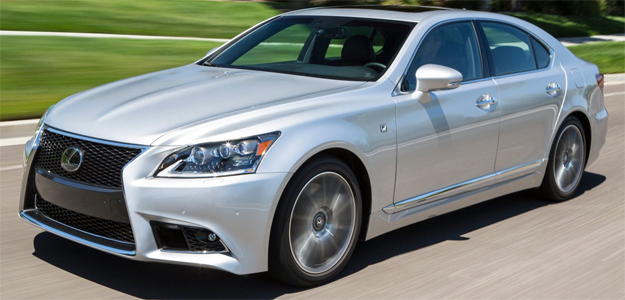
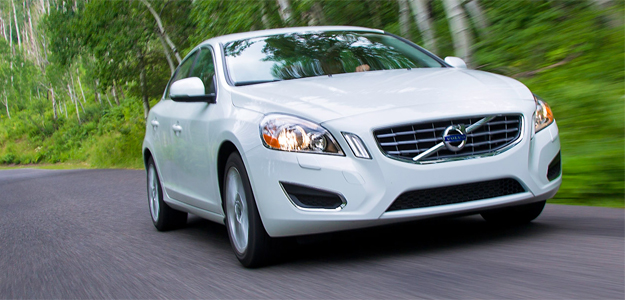
2013 Volvo S60

Volvo has always been obsessed with safety, so it’s no surprise it was the first automaker to unveil Pedestrian Detection and City Safety systems.
City Safety is a system that first debuted on the XC60 crossover but has been included on the S60 as well. Additionally, the S60 sedan has received another safety technology called Pedestrian Detection.
These systems are similar to the LS but a few years ahead. First debuted in 2010, Pedestrian Detection was a first of its kind. Up to 22 miles per hour, the system uses two forward facing cameras and a radar system to detect both vehicles and pedestrians. Should both radar and cameras detect a pedestrian crossing in front of the car, a collision is calculated as imminent, and the driver does not apply the brake, the Pedestrian Safety system will brake the car with Full Auto Brake, bringing the vehicle to a complete and sudden stop.
The Pedestrian Detection with Full Auto Brake will activate above 22 mph, however it will not be able to fully bring the vehicle to a stop above that speed. It will slow the vehicle as much as possible, thereby limiting the damage of the collision.
While this system will detect pedestrians up to 32 inches tall and cars in front of the S60, it will not recognize, say, a bear or a moose. Volvo designers explained that the programming for vehicle and specifically pedestrian detection was so complicated that programming for another creature with a different radar signature would have been unrealistic. Volvo does have plans, however, to expand the repertoire of its Pedestrian Detection system in the future to detect all kinds of obstacles.
2013 Mercedes S-Class

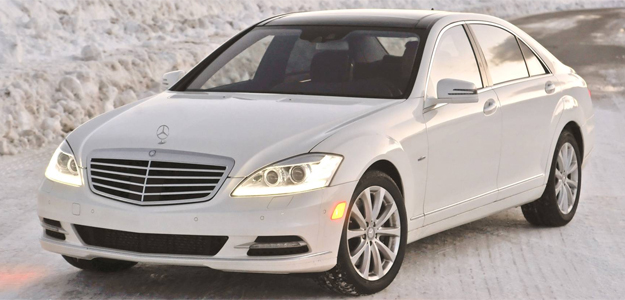
While the next generation S-Class will have more autonomous safety technologies than you can shake a stick at, the current one only has a few. Mercedes’ technology is called PRE-SAFE and the original form was debuted in 2002. Over the years, it’s changed a bit to include more safety and more technology.
In its current form, the PRE-SAFE works in tandem with the DISTRONIC PLUS adaptive cruise control, which works similarly to the Lexus LS system detailed above. It uses short-range 24GHz radar that sweeps the first 33 yards of the road ahead in a fan-shaped 80-degree pattern, working in tandem with a narrower nine-degree beam of 77GHz radar. As Mercedes puts it, “the two radar frequencies complement each other to cover a full range of more than 160 yards – more than one and half football fields.”
When PRE-SAFE detects a collision, the system will produce three warning sounds. At that point if the collision is not avoided by the driver, PRE-SAFE will automatically partially brake the vehicle 1.6 seconds before the collision. Should the driver be unable to avoid the collision at that point, PRE-SAFE will then apply full braking force 0.6 seconds before collision. Mercedes calls this an “electronic crumple zone.”
2013 Infiniti M

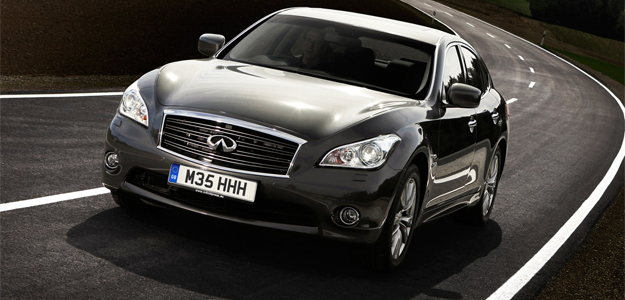
For now it’s called the M. But by next year, it’ll be called the Q70, and it has a rather distinctive autonomous safety technology called Blind Spot Intervention or BSI.
BSI is paired with the Blind Spot Warning (BSW) system within the optional technology package on the Infiniti M. Infiniti brags that BSI is a world first. Using the same sensors as the BSW system, BSI watches the lane markers to see if the vehicle is going to leave the lines. Should BSI detect the Infiniti crossing the lane lines and another vehicle is detected in that space, BSI will flash warning lights on the instrument cluster, emit audible warning sounds to the driver, and – if necessary – apply the brakes on one side of the vehicle, helping the driver center the car back into the lane. Notably, the BSI system will also activate whether or not the turn signal has been activated.

Can cellphones tell you how wet it is outside?

Can cellphones tell you how wet it is outside? 


With the advent of smartphones and the all-important apps that they run, you’d be forgiven for feeling that the sheer possibilities available to us can seem overwhelming at times. Well, here’s something else that cellphones can do that’s a little out of the ordinary: Apparently, they – or, rather, cellular towers – can be used to help measure the rainfall in the immediate area, allowing meteorologists to get a more accurate idea of just how wet their country is. At least, that’s what Dutch researchers have done.
According to a report in New Scientist, a team of scientists from the Netherlands led by Aart Overeem from the Royal Netherlands Meteorological Institute measured rainfall using information provided by T-Mobile. They do this by noting the way raindrops can weaken the radio waves cell towers use to transmit information to each other. Cell towers in the Netherlands are spaced around three kilometers (1.8 miles) apart and transmit a constant signal between each other, meaning that the traditional signal degradation tends to be uniform. Any deviation in signal strength outside of the norm is easily noticeable by someone closely tracking the data.
Overeem’s team studied signals sent between towers in a four month period between June and September 2011, with the signal strength measured every 15 minutes across the approximately 8,000 towers in the Netherlands. To put that figure in some context, the traditional rain gauges in the country measure rainfall every 10 minutes, but there are only 32 of them throughout the entire country. In other words, the information being offered is far more accurate, if slightly slower than the previous method. The result of this analysis were supported by measurements from the traditional gauges for the same time period, and formed the basis of something called a “rainfall map” of the country for the period. This gave a clearer picture of not only how much rainfall there was during those four months across the entire country, but where the rainfall had been centered.
There are real world applications for this type of technology beyond simply checking whether or not one area of Holland is wetter than another; the team from the Royal Netherlands Meteorological Institute say that they are hopeful that some extrapolation of this technique could be useful in improving flood forecasts or providing real-time information about weather conditions in locations where traditional weather-monitoring equipment is unavailable but cell towers are prevalent (third world countries, for example).
That hope is mirrored by Mary Lynn Baeck, a hydrometeorologist at Princeton University, who told New Scientist that she believes Overeem’s approach “has the potential to give good quantitative rainfall estimates for real-time hazards forecasting, as well as regional and global climate model analysis in regions of the world where the impact could be great.”


World’s first complete ‘bionic man’ goes on show in the UK


World’s first complete ‘bionic man’ goes on show in the UK


Meet Rex. According to his creators, he’s the world’s first bionic man, comprising artificial organs, synthetic blood, robotic limbs and a human face. And as if that’s not enough, he can speak and listen, too.
Unveiled at a special exhibition at London’s Science Museum this week, the artificial human was created for a Channel 4 documentary called How to Build a Bionic Man. The project cost £640k ($1m) and showcases the latest achievements and advancements in bionicbionic man rex technology and prosthetic science.
“Strictly speaking, he’s not a robot,” Channel 4’s science editor Tom Clarke says in a report (below) about the bionic creation. “His parts aren’t designed to work together, but each one either is, or soon could be, part of a living human being.”
Rex’s two-meter-tall ‘body’, built with currently available bionic and prosthetic technology, includes a prosthetic face, hands, hips, knees and feet as well as cochlear implants which enable him to hear and retinal implants that allow him to sense objects in front of him. Speech synthesis technology means Rex can make sense of simple statements and even respond to some questions.
Artificial blood pumps through his artificial organs, which include a heart, kidney and pancreas. He also has a spleen and trachea. The stomach is missing, but one imagines it won’t be too long before the science boffins fix him up with one of those, too.
“Throughout history people have always sought to enhance themselves to overcome disabilities or to become bigger, better, stronger and faster,” Clare Matterson of the Wellcome Trust, which is funding the exhibition, told Sky News.
“Science is making aspirations and even fantasy ever more possible. We only have to look back at last summer’s Paralympics to see how transforming technology has become.”
Rex is on display at the Science Museum as part of the How Much of You Can Be Rebuilt? exhibit, which runs until March 11. Entry is free.


Want a phone you can see through? Polytron unveils clear phone prototype

Want a phone you can see through? Polytron unveils clear phone prototype


Clear glass phones have been a mainstay of science fiction movies for the last half-decade, from Real Steel to Looper, but Hollywood’s dream may be closer than you think. Polytron, a global systems integration firm based in Duluth, GA, has unveiled (via Mobile Geeks) a mostly transparent cell phone. We say mostly transparent because, in the released photos, we could still see a small battery, circuit board, and a memory card. But aside from that, the entire phone is completely transparent.
Polytron clear cell phone
The prototype is not fully functional yet, but it’s believed that such devices could be ready for the retail market as soon as the year’s end. Of course, with such a novel (and yes, completely unnecessary) concept, there are questions that arise about the functionality. Will video quality on the phone, which has increasingly been getting better and better, begin to suffer? Will the backside of the phone reveal what the user is seeing, resulting in an issue of privacy?
This isn’t the first time the company has come up with innovative uses of glass. While they traditionally have employed glass for use in construction projects, the company has also revealed a nearly transparent USB memory stick, which it says will be available for sale later this year.
While this clear concept is certainly a cool innovation, we’re not sure just how well-received it will be by the general public. And, more importantly, how much devices like this will cost and what they’ll be capable of. (We’re guessing they won’t be on the affordable end of the scale.)


TO FIND MORE ABOUT THIS PHONE GOTO:http://www.youtube.com/watch?feature=player_embedded&v=V4PIaAhWf0Q

ACER ASPIRE 7600U


ACER ASPIRE 7600U


Highs

  • Attractive design
  • Excellent connectivity
  • Good graphics performance

Lows

  • Unexceptional display
  • Poor audio quality
  • Slow processor and hard drive
  • Not a good value

Smartphones and HDTVs aren’t the only consumer electronics growing in size. All-in-one desktops have also been caught up in the trend. A few years ago, most computers of this type offered a 23-inch display at most. Now, nearly every major hardware manufacturer has a new 27-inch all-in-one for sale.
Acer has joined this party with its Aspire U. Debuting alongside Windows 8 with a big 27-inch touchscreen, the system features a Core i5 processor, and discrete graphics – a standard feature that may help to set this AIO apart from the crowd.
Yet the Aspire U arrived late to the party. Dell, HP, and Lenovo have mingled with consumers for some time, and, in different ways, set expectations that newcomers must hurdle. Acer may have some trouble attracting attention from an already enraptured consumer audience. Price won’t help, either – at $1,699, the Aspire U is on the high end of the market.

Minimalist to an extreme

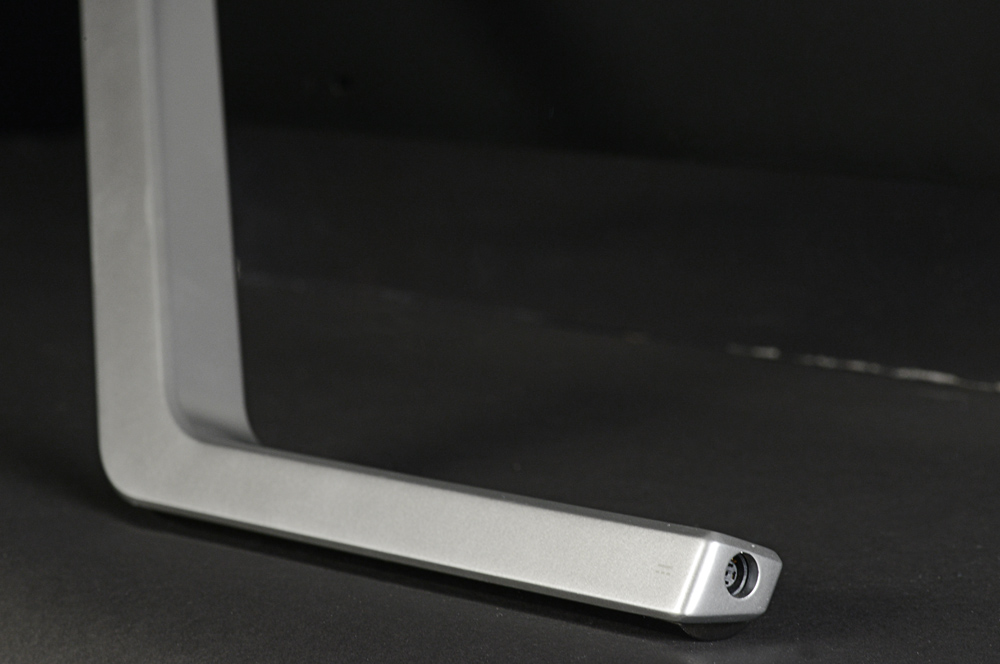
Lenovo set the bar for minimalism with the IdeaCentre A720. Though it features an outrageously thin and attractive design for an all-in-one, it still has a large base and stand that connect to the monitor. Acer doesn’t offer or need any of that. The Aspire U is held in place by only a sleek metal bar and a transparent strip along the bottom of the display. Aesthetically, the result is striking. From some angles the display appears supported only by air.
This design might seem luxurious, but there is an issue of context. You see, most cheap all-in-ones on the market have a similar look; and while they can’t match the Acer’s build quality, that advantage isn’t obvious at first glance. Just by its looks, it’s easy to mistake this expensive PC for one that costs hundreds less.
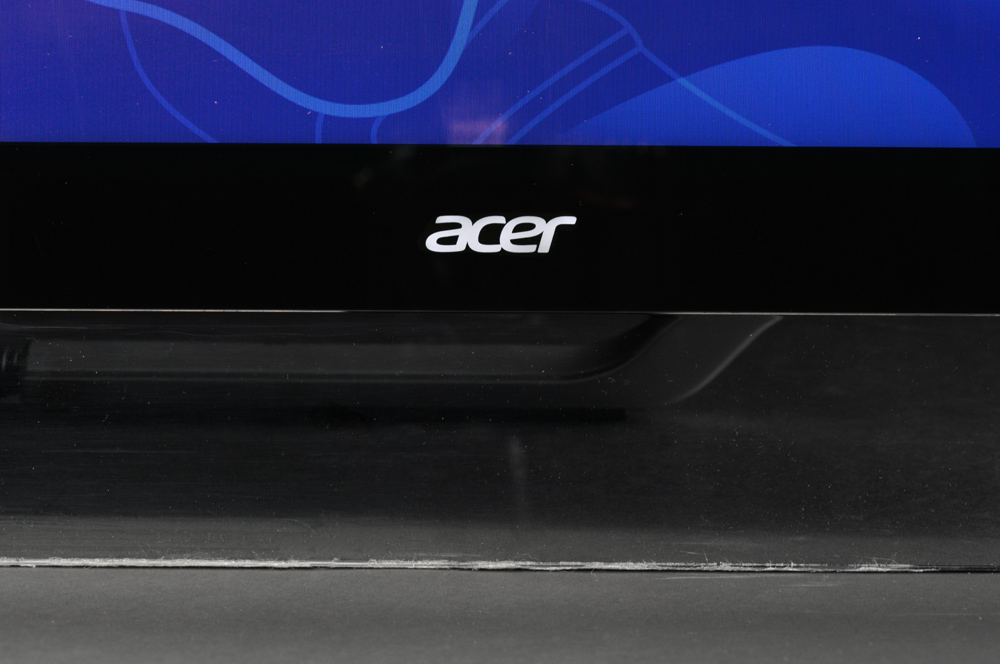
Acer-Aspire-7600U-AIO-all-in-one-review-front-logo
There are functional problems, too. Tilt is the only adjustment available, and, because the stand relies on gravity to keep the system in place, users can never adjust the display so that it’s perpendicular to the surface it stands on.
The stand can move into a reclining position for easy touch use, yet this feature can be a problem because the stand must move further back to support the computer’s weight. At full recline, the PC requires 21 inches of free space behind its front edge – enough to consume most of a large desk.Acer-Aspire-7600U-AIO-all-in-one-review-stand-hingeAcer-Aspire-7600U-AIO-all-in-one-review-power-button
Acer serves up six USB ports, two of which are 3.0. Also includes is an audio in and out port, HDMI-out, and two HDMI-in ports, as well as Ethernet and integrated Wi-Fi. A Blu-ray drive is standard, too. The numerous media inputs beat the competition and make this all-in-one usable as both a PC and a small HDTV (via HDMI and audio input).

Last year’s resolution

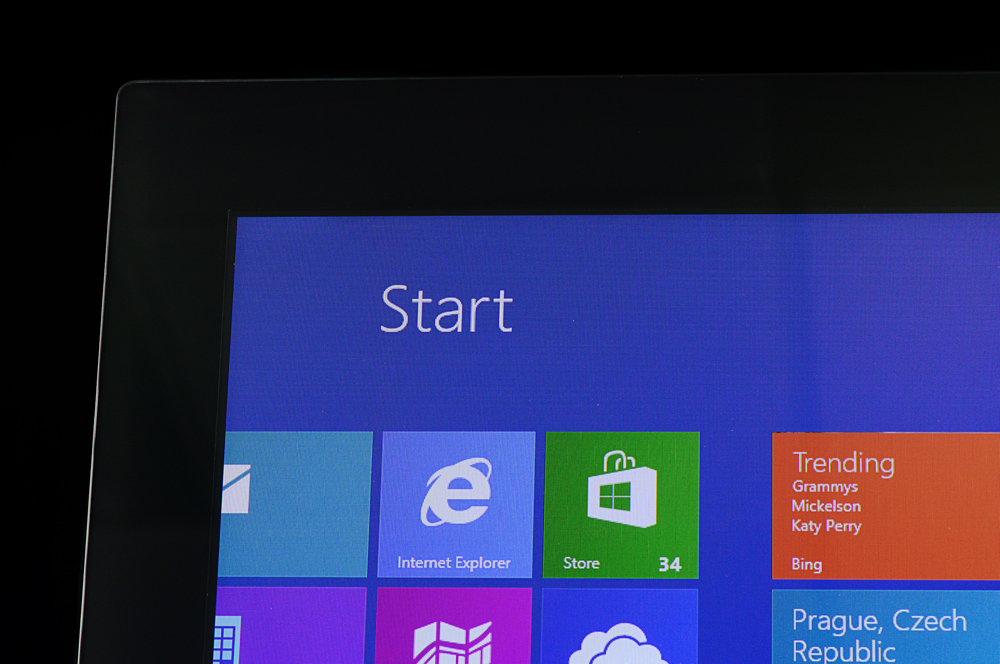
Though the Acer Aspire U can be had with a beefy 27-inch display, going big doesn’t increase the pixel count – and that’s a problem. Though 1080p sounds great on paper, sharpness is poor when viewed on a display this large at the distance a typical PC is used (about three feet). Fine text shows signs of pixilation and images don’t offer the crisp look users will expect.
Standard touch makes matters worse by encouraging users to come even closer than they normally would. Comfortable touch use is difficult from more than two feet away – and even icons and interface elements appear pixelated and not sharp at that range.
Acer-Aspire-7600U-AIO-all-in-one-review-display
We found the display to be lacking in other areas, as well. Though contrast and brightness were great, at the display’s maximum brightness, black levels results were average and color gamut was only 94 percent of sRGB. These results are good, but they don’t stand out from all-in-ones with similar prices.
Audio has problems of its own. The speakers are mounted on the back and face away from the user, which impacts both volume and quality. What little bass exists is drained and flattened. Though capable of accepting audio-in, most users are going to want a pair of external speakers. Even a $50 set would be an upgrade.

Peripherally speaking

Acer bundles a keyboard and mouse, both of which are wireless. The mouse uses invisible laser technology, which is a nice upgrade over the outdated infrared sensors still found in many bundled mice.
The keyboard provides a full set of keys and even includes a numpad. A strip of plastic along the bottom mimics the look of the system and adds some visual flair. The mouse pulls the same trick with an arc of transparent plastic that rests in the user’s palm.Acer-Aspire-7600U-AIO-all-in-one-review-mouseAcer-Aspire-7600U-AIO-all-in-one-review-keys
Neither peripheral stands up to hands-on use, however. Both use low-grade plastic in their construction and have a light, cheap feel. The mouse opens from the top to insert the batteries and an ugly dimple provides access to that panel. Complaints like these may seem trivial, but remember that this is an expensive computer. We expect better quality from a product just shy of two grand.

Some laptop in your all-in-one

Like the Lenovo A720, the Aspire U keeps a slim frame through the use of hardware meant for mobile products. Our review unit arrived with a Core i5-3210M processor, the same part found in many mid-range notebooks. It drove SiSoft Sandra’s Processor Arithmetic benchmark to a score of 45.46 GOPS and 7-Zip to a combined result of 8,556. These numbers are far behind most competitors. HP’s Spectre One, for example, scored 19,045 in 7-Zip.

PCMark 7 told a similar story with its final score of 2,446. This is one of the lowest results we’ve recorded from any recently reviewed PC. Blame can be placed on the 1TB mechanical hard drive that serves a heaping helping of storage but is handicapped by poor data access times.
Graphics performance is more competitive. The Nvidia GT 640M inside helped the Aspire U easily defeat the HP Spectre One and Samsung Series 7 AIO in terms of graphics. The Aspire U falls just short of the Dell XPS One, which can be configured with the same GT 640M graphics solution.
But don’t let these numbers fool you into thinking this a gamer’s PC. The hardware struggles to power demanding 3D titles at the display’s native 1080p resolution. Only titles that don’t focus on graphics will be playable beyond low or medium detail.

Silence prevails

The Acer Aspire U, like most all-in-ones, knows when to keep quiet. We found it produced a maximum volume of 41.7 decibels, which is good, and this figure refused to waver no matter the load we threw at the system. Processor stress tests and graphics benchmarks ran without an increase in noise.
Heat was also kept in check. Air exhausts through the top edge and rarely noticed by the user. External temperatures generally stayed below 100 degrees Fahrenheit near these vents and internal temperatures didn’t move beyond the normal range of 50 to 60 degrees Celsius at load.
Acer-Aspire-7600U-AIO-all-in-one-review-stand
Power tests revealed that the hardware drew 40 watts at idle and 72 watts at maximum load with the display at 50 percent brightness. These figures don’t outperform the HP Spectre One, which is a smaller AIO with a far more powerful processor.

Conclusion

Acer’s attempt to enter the premium all-in-one market doesn’t measure up. Performance, display quality, and value all come behind the competition, and these are the traits most important to an all-in-one.
Dell’s XPS One, for example, starts at $1,599 with a 2560 x 1440 touchscreen and Core i5-3330s. In this configuration, the Dell has a much better display and offers better processor performance. Only graphics performance comes up short due to standard Intel HD 4000 in the base model. But gamers rarely buy all-in-one PCs, so that’s barely a knock. We can’t find any reason as to why consumers should buy Acer’s less impressive Aspire U at a $100 premium.
That’s not to say this computer is a poor choice. Performance is adequate and some strengths, like connectivity, are exceptional for the category. The problem is value. At $1,299 the system’s flaws would be easy to excuse, but Acer has priced it to compete with the best in the category. And it simply can’t.

Sony announces touch-enabled VAIO T14 and T15 ultrabooks at CES 2013

Sony announces touch-enabled VAIO T14 and T15 ultrabooks at CES 2013


Sony Vaio T14


Sony Vaio T14

Sony Vaio T15


Back in October, Sony released two ultrabooks: the 14-inch VAIO T14, and the 13-inch T13. While you could get a touchscreen version of T13, the T14 had no touchscreen option – that is, until now. However, touch comes at a price, and it usually adds at least $100 on to the price of a non-touch laptop. Available sometime this spring, the touch-enabled T14 will start at $800. Sony also revealed a minor update to the Duo 11 slider. In addition to the original black, the tiny hybrid computer is now available in silver from Sony’s online store
Aside from the two updates to the VAIO line, Sony also announced its new 15-inch ultrabook, the Vaio T15. The laptop comes fitted with a full HD (1920 x 1080) touchscreen display and an aluminum-magnesium body. Sony has yet to reveal the T15′s full specifications and features list, but according to PCMag, the T15 will be shipped with the latest third-generation Intel chips. Along with the touch-enabled T14 ultrabooks, the new 15-inch T15 will be available this coming spring for a base price of $950. We expect more details to be available nearer to launch. Stay tuned for a hands-on review of Sony’s new VAIOs


Dell unveils new Windows 8 business Ultrabook, Latitude 10 tablet

Dell unveils new Windows 8 business Ultrabook, Latitude 10 tablet


Dell has taken the wraps off three new products that will make up its Windows 8 offerings for enterprise clients. The most surprising of these is the Dell Latitude 10 tablet, a 10-inch device running a full version of Windows 8.
The use of full Windows 8 (instead of Windows 8 RT) will make it 100-percent compatible with typical Windows productivity software. An optional dock is available, but it is not an attachable keyboard like those sold for consumer tablets thus far. Instead, it is meant for desktop use and will be aimed to make the tablet easy to use with existing desktop keyboards, monitors and mice. Dell is also making the battery user serviceable, a trait that makes it possible for users to carry multiple batteries for long tours away from a power outlet.

Next up is the Latitude 6430u, Dell’s newest addition to its line of business laptops. The “u” stands for Ultrabook – this 14-incher comes in at 20mm thin and weighs just 3.7 pounds. It was designed to meet MIL-STD-810G standards for operation in harsh environments and will ship with an anti-glare screen. It will presumably offer Intel Core processors and is likely to have a standard display resolution of 1366 x 768.

Last of the group is the OptiPlex 9010. This is a typical 23-inch all-in-one computer with touchscreen support for use with Windows 8’s Modern UI. Dell will also offer an articulating stand and rotatable camera, traits that make it suitable for use in a variety of enterprise tasks.
Exact technical details are sparse for all of these products but we know they’ll all be released alongside Windows 8, which is scheduled to launch on October 25. We’ve also been informed that all of these products will ship with Dell Data Protection.

Dell XPS 13 ultrabook with high-res display due next week

Dell's XPS 13 ultrabook finally gets the high-resolution display the design deserves.

The Dell XPS 13 ultrabook will now be offered with a 1,920x1,080-pixel, 13.3-inch display for $1,299.
Dell will start selling a high-resolution version of the XPS 13 ultrabook next week, the PC maker told CNET today, addressing an issue that dogs more than a few Windows 8 laptops.
The display will be upgraded to a resolution of 1,920x1,080 from the current 1,366x768 format. That roughly doubles the pixel density to just over 2 million from just a bit more than a million.
Other improvements include widening the viewing angle to 178 degrees from 80 degrees on the current 1,366x768 display, upping the brightness to 350 nits from 300 nits, and increasing the color gamut to 72 percent from 45 percent, a Dell representative said.Many 13-, 14-, and 15-inch Windows 8 laptops from top-tier PC makers are still stuck with low pixel density displays -- a throwback to theWindows 7 era when resolution wasn't a major factor for most consumers and businesses.
That's beginning to change now because of market pressure. The most popular smartphones and tablets now boast high pixel densities, typically exceeding 200 pixels per inch (PPI). Far greater than the 117 PPI on a 1,366x768 13-inch laptop. And Apple is now offering high-resolution Retina displays on its 13- and 15-inch MacBook Pros.
So, PC makers are starting to follow suit. Acer and Asus are already ahead of the curve, offering both high-resolution Windows 8 laptops and tablets.
Dell's new XPS 13 will be available starting next Tuesday for $1,299, Dell said.

HTC One takes display pixel density crown


The HTC One ups the ante on the iPhone 5, packing more pixels closer together than Apple's touted Retina technology.

The HTC One has one eye-popping display.

The HTC One has taken the pixel density crown, leaving phones like Retina iPhone 5 in the dust.
First, to get a sense of the HTC One screen's density, a quick comparison to Microsoft's Surface Pro, which has also been praised for its display chops, puts this into perspective.
The Surface Pro packs a resolution of 1,920x1,080 into a 10.6-inch panel. One of the highest pixel densities (208 pixels per inch, to be exact) for a Windows 8 PC to date.
The HTC One packs that same resolution (1,920x1,080) into a 4.7-inch screen. That's more than 2 million pixels, yielding 468 pixels per inch (ppi).
"That makes it the current record holder for announced/shipping consumer products," Raymond Soneira, president of DisplayMate, told CNET.
Some products get close, though. Last summer, Sharp and LG announced a new class of very high-ppi displays with 440ppi, which is 1,920x1,080 in a 5-inch (phablet) size, Soneira added.
The first shipping product in the U.S. with this display is the HTC Droid DNA, which began shipping in December and it has a Sharp display, according to Soneira.
And other manufacturers including Samsung are working on this new format. And LG is now also shipping a 440 ppi display, which, though a slightly lower pixel density, is "visually indistinguishable" from HTC One's display, he said.
Close up of HTC One's icons.
(Credit: HTC)
Sharp is making its 440+ ppi screens using a technology called Continuous Grain Silicon. "It has higher electron mobility than either IGZO or amorphous silicon, which allows for maximum aperture ratio/light transmission," according to Soneira.
Translation: More light can get through the closely packed pixels than conventional technology, leading to brighter very-high-resolution screens.
And what about the inevitable comparison to Apple's Retina display tech?
"Now 468 ppi is substantially higher than the iPhone 5's 326 ppi. What does that mean visually? In terms of what Apple calls a Retina Display (equivalent to 20/20 Vision), for 20/20 Vision, 10.5 inches is the viewing distance where the eye can just resolve the individual iPhone 326 ppi pixels for people with standard 20/20 Vision."

Google to open its own retail stores in US later this year

Google to open its own retail stores in US later this year
google-cups-635.jpg

Apple has multiple retail stores across the globe that have proved beneficial for the company as far as the 'try and buy' aspect is concerned. In his most recent public appearance, CEO Tim Cook defined Apple stores as one of the biggest reasons behind its recent success. Inspired by Apple's success, Microsoft launched a series of stores of its own stores across US (and one in Canada). Now, according to various media reports, Google is set to join the bandwagon by opening its very own retail stores across major metropolitan areas in the United States before the end of this year.

Citing "an extremely reliable source", 9to5Google reports that the search giant plans to enter the physical space and is in the process of building stand-alone retail stores in the US. The news comes followed by recent reports of the search giant planning to open its first retail store within its European headquarters at Dublin.

With these stores, Google will be able to help customers make an informed decision by experiencing Google products, ranging from the Nexus lineup to its Chromebooks first hand, that is currently not possible via the Google's Play Store. 

As of now, Google has several Stores-in-Stores with retailers like Best Buy in the US and 50PCWorld/ Dixon's in the UK. But these stores only offer Google an opportunity to promote its products and inform the customers of the know-how on various Google devices. 

The new stores are said to be fully independent and operated by Google. The report also speculates that Google could use the stores to also sell its "apparel and other Google-branded merchandise". This seems to be in line with reports from Bloomberg Businessweek, which mentions that a planning application filed by the company indicates that Google intends to open a store to the public and sell "Google merchandise."

9to5Google also notes that the decision to open these stores apparently stemmed from Google's plans to make Google Glass available to the public. It felt that a product like Google Glass will have to be experienced by the customers in real-time before they decide to make a purchase. 

The device recently arrived at the US FCC (Federal Communications Commission) for testing. The move was confirmed by a filing with the FCC, which is for the Explorer Edition of the device, includes certification documents for the device's Bluetooth and Wi-Fi modules that include line diagrams of the device. According to the filing, the device features a Broadcom 2.4GHz 802.11 b/g Wi-Fi radio and a Bluetooth 4.0 + LE module.

Google had also started pre-bookings for the Explorer Edition of the device, pricing it at $1,500 for San Francisco developers attending the three day conference. It had promised deliveries in 2013.

The report further stated, "Along with Glass, Google will have an opportunity to demonstrate other upcoming and Google X projects like driverless cars and mini-drone delivery systems at its stores."

Nikon J1 and V1

Nikon J1 and V1 - Review
nikonj1v1.jpg

With Olympus, Sony and Panasonic having introduced their mirrorless cameras long ago, everyone wondered, when, and even if, the big two, Canon and Nikon would enter the space. After much speculation, Nikon has finally broken the silence with the V1 and J1, two mirrorless interchangeable lens cameras that are part of the new Nikon 1 system.

Not adhering to the tradition micro four thirds standard, Nikon has chosen to develop their own 1-inch sensor dubbed the CX, which has also called for a redesign of not jus the lenses, but also the lens mount. We grab both the cameras and put them through their paces to see whether they live up to the hype that comes from being a flagship Nikon Product.

Note: Units reviewed here are the Black Nikon 1 V1 that came bundled with the 10mm f/2.8 pancake lens and a White Nikon V1 J1 that came bundled with the 10-30mm f/3.5-5.6 and the 30-110mm f/3.8-5.6 lenses. Both the lenses that came with the J1 also sport Nikon's proprietary Vibration Reduction technology. Since the cameras are identical, aside from a few key differences that we will note as we go along, we decided to do a joint review.

In the box
Camera (Nikon 1 V1 or Nikon 1 J1)
Camera Strap (Black for the V1, White for J1, unless you bought a J1 of a different color)
Paperwork (User manuals, warranty papers)
Battery (EN-EL15 for the V1 and EN-EL20 for the J1)
Battery Charger
Lenses (depending on what kit you purchase)

Build
The first thing we notice when we pull both the cameras out of their boxes is how similar they look to point-and-shoot cameras, especially the J1. Respecting the hierarchy of classification, the J1 is visibly thinner and smaller than its big brother, the V1. 

The body of the J1 is constructed out of high grade plastic, but at the end of the day, it is still plastic. We wonder if it would survive an accidental five-foot drop - tempted, as we were to try, we couldn't since we had to return the review unit to Nikon. On the flip side, the guts and glory of the V1 are housed in a sturdy all-metal body that is not glossy, but matte. We feel a Leica influence here for sure.

Ergonomics
The V1 is bigger and thicker which means it can fit a bigger battery than the J1. Not that we're complaining, because, well, nothing there's nothing worse than running out of juice during an important shoot. 

There is a minimal amount of buttons on both the cameras, with the Power, Shutter and a dedicated Video button being placed on top of the camera. The back features a small dial that allows switching between the limited shooting modes. There is a secondary dial that controls camera specific features along with a quartet of buttons. 

nikonj1v1-2.jpg

An interesting addition to the controls is the horizontal bar at the top right corner of the back panel. On the V1, it serves as a means to change the aperture or shutter speed. On the J1, it only serves as a means to zoom into the photograph while in preview mode. In our experience with the V1, this horizontal bar seemed rather counter intuitive for changing aperture or shutter speed values, as up till today, all cameras have utilized the spinning dial at the back to register changes to these settings. We often ended up spinning the back dial when wanting to change the aperture values, only to realize that we were fiddling with the wrong controller. This is something that will take a little getting used to. 

The V1 also enjoys the addition of a 1440K Dot TFT LCD viewfinder (also known as an electronic viewfinder), a feature that visibly sets the V1 and J1 apart, as the latter does not have a viewfinder. The view automatically switches from the back LCD to the viewfinder thanks to a sensor placed next to the viewfinder. 

Features
The feature set on both cameras is the same as you would expect from any high end point-and-shoot. One interesting point of difference is the Dual Shutter present in the V1. While both the V1 and J1 sport an electronic shutter that can shoot exposures with values ranging from 30 seconds to 1/16000th of a second, the V1 also comes with a mechanical shutter.

The two shutters serve very different purposes, bringing with them their own unique advantages and drawbacks. The mechanical shutter allows the flash-sync-speed to reach up to 1/250th of a second, but reduces the overall fastest shutter speed possible to 1/4000th of a second. The mechanical shutter also creates a sound every time it fires. The electronic shutter brings the flash sync speed down to a painful 1/60th of a second, but offers silent shooting, boosts the fastest shutter speed to 1/16000th of a second (yes, that is a BLAZING ONE-SIXTEEN-THOUSANDTH OF A SECOND!) and the ability to shoot 10 frames per second.

There is more shutter magic to be enjoyed on the Nikon 1 system and it comes in the form of crazy fast burst shooting modes. When the shutter is switched to Electronic (Hi), the V1 can shoot at 10,30 or 60 frames per second. However, there is a catch. Since the photos cannot be written to the memory card as fast as the are being shot, actual number of frames captures is about 34 frames when shooting at 10 fps and 30 frames when shooting at 30 and 60 fps.

For the J1, the frames captured are 13 frames at 10 fps and 12 frames at 30 and 60 fps. One drawback of being able to shoot so many frames in such short spans of time is that when the data has to be written to the memory cards, it takes quite a while and during the time, the camera might lock up due to unavailability of space. Regardless, nothing can tarnish the joy that comes from shooting at such mind numbing speeds. 

An interesting difference between the two cameras is that the J1 sports a built in flash that pops up at the push of a button (and must be manually pushed back into the closed position). The V1 lacks an on-board flash. Instead, it gains an accessory port that can be used to attach an external flash unit or an external mic for video recording.

nikonj1v1-3.jpg

Focus System
One of the most impressive feature sets of the Nikon 1 system is its contrast/phase detect focusing system. Conventional cameras (including DSLRs) use one or the other focusing mechanisms, but Nikon has managed to merge the two together, resulting in a system that is blazing fast to acquire focus, even in very low light. 

Besides being quick to focus, the system can be tuned into one of three configurations; Single Point (with a total of 135 points to select from), Auto-Area (41 points to select from) and Subject tracking mode to track moving objects. We must mention here that the Nikon 1 system has the most focus points so far in a mirrorless interchangeable lens camera system and they all work very effectively. 

Lens System
Now we generally have never spoken about lenses in a review, but the mirrorless cameras are changing that up since these cameras aren't much without a lens. Currently, there are only four lenses available for the Nikon 1 system: 

10mm f/2.8 pancake lens (pancake because these lenses are very thin)
10-110mm f/4.5-5.6 PD-Zoom
10-30mm f/3.5-5.6 VR
30-110mm f/3.8-5.6 VR

We got to test out all the above lenses, except for the 10-110mm super zoom. In our use, we found that before the lenses could be used, they had to be unlocked by pushing a button followed by turning them to the right. This caused the lenses to protrude about an inch to the front, which we found extremely worrisome. This design does not work well in the event there are any accidental bumps to the camera while walking around. The only way to avoid the accidental damage would be to lock the lens after every use, which is quite cumbersome in itself. 

Another rather surprising omission on the lenses was a manual focus ring. For a camera system that aims at being more SLR-like, why would Nikon choose to omit such a defining feature? 

Just to be clear, the lack of a focusing ring on the lenses does not mean that manual focus is not available on the camera. We found that switching the camera's focus mode to manual and the spinning the dial at the back allowed us to focus manually. This is another cumbersome feature that defines both the V1 and J1 more in the same family as point-and-shoots rather than DSLR replacements.

Imaging
Like we mentioned earlier, Nikon has developed a proprietary 10 megapixel sensor for the 1 system and dubbed it the CX format. The sensor measures 1-inch in diagonal, placing it comfortably halfway between the point-and-shoot and Four Thirds format. The sensor has a conversion factor or 2.7, meaning that a lens advertised as 10mm would actually yield a viewable area of10x2.7 = 27mm and so on.

To be fair, shooting with the Nikon 1 system (both the V1 and J1) was quite enjoyable. Of course that was the case once we stopped bothering about switching into any mode other than auto, as the process of doing so requires going into the menu system and tinkering with the settings. The cameras do feature a dial that allowed us to switch between stills, Smart Photo Selector, Motion Snapshot and Video modes, but Manual, Aperture Priority and Shutter Priority options are omitted from this dial. 

One drawback of having a small sensor is that in general, image quality takes a hit because the per-pixel size gets greatly reduced. With respect to that, the CX format sensor performs exceptionally well, delivering images with great clarity, well saturated colors and a rather pleasing level of contrast. Being able to shoot in RAW was a relief as by now we're wondering if there are any SLR like features in the two cameras.

One area where the sensor fails to perform is with regards to depth of field. Unfortunately, the small size of the sensor results in a larger-than-expected depth of field. This was apparent when we used the 10mm f/2.8 pancake lens and shot an object at f/2.8. There was background blur, but not as much as we would have seen from a similar lens shooting at the same aperture on a DSLR.

Video
The V1 and J1 both feature a dedicated video button next to the shutter button on top, however, video recording at full HD was only possible if the mode dial on the back was on Video. We're not even sure why there is a dedicated video button if we still need to switch over to the video mode before we can shoot. This is not to say that video cannot be recording when in Still Shot mode. The only problem with video while in Single Still mode is that the resolution of the video recorded is an unconventional 1072x720 at 60 frames per second and no, we did not have any control over this. The video recording size is also limited to 4GB.

The frustrations of design clearly flow into hampering the video recording experience. There is, however, a silver lining of sorts. While recording full HD video, we were able to shoot stills as well (albeit they were only 9 megapixel stills, without affecting the video recording in any way. 

Verdict
We're having a hard time grasping what Nikon was aiming at achieving with the Nikon 1 system. Venturing into a realm that is looking at being a DSLR alternative while managing a compact size, Nikon got the 'compact' part somewhat right, but fell way short on the 'DSLR' part.

The lack of dedicated buttons to access quick features such as shooting modes (despite a physical dial being present!), inability to shoot video spontaneously despite a dedicated video button and not to mention, a complete lack of focus ring on the lenses makes the Nikon 1 system more like a glorified point-and-shoot rather than a DSLR competitor.

In favor of the Nikon 1 system, the bigger sensor does deliver some amazing looking images, along with offering a blazing fast auto-focus system. The V1 supports an accessory port, but accessories are currently limited to just an external flash and mic.